Hey everyone,
I’m losing my mind trying to fix a weird Wi-Fi issue on my Samsung A17 and could really use some help.
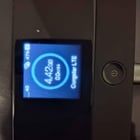
I am using a mobile hotspot router (TP-Link M7350, Hardware Version V9) with a Congstar (Telekom network) SIM card.
The strange part: My iPad 10 connects and browses the internet perfectly through the router. The TP-Link app even shows that both my iPad and my Samsung A17 are connected to the router. However, my Samsung A17 just shows a Wi-Fi icon with an exclamation mark (!) and says there is no internet.
Here is what I have already tried, but nothing has worked:
Restarted both the router and my Samsung phone multiple times.
Performed a factory reset on the TP-Link router.
Set up the correct Congstar APN settings on the router (IPv4v6, PAP, internet.v6.telekom).
Reset the Wi-Fi and Bluetooth settings on my Samsung phone.
Reset the Mobile Network settings on my Samsung phone.
Changed the phone's Wi-Fi MAC address setting from "Randomized" to "Phone MAC".
Switched the phone's IP settings to "Static" and used Google DNS (8.8.8.8 / 8.8.4.4).
Turned off Private DNS in Android settings.
Since the iPad works perfectly, the router and the SIM card definitely have a working internet connection. The issue seems to be 100% inside my Samsung A17's software blocking the traffic or failing to route data.
Has anyone experienced this specific bug with Samsung phones on mobile hotspots? Is there an Android network cache or deep setting I am missing?
Thanks in advance!
https://www.reddit.com/gallery/1wdv3b6
Source: r/SamsungHelp · by /u/Ok-Trash8548