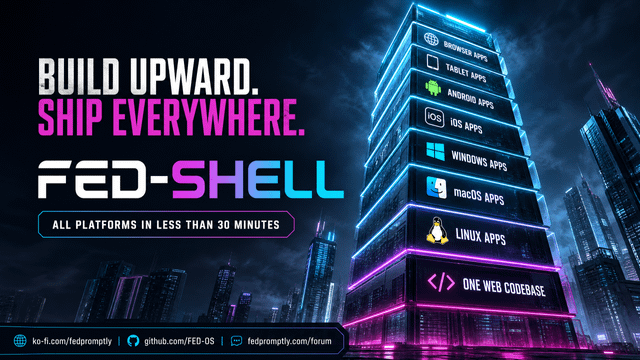
FED-Shell is a universal build repo. You feed it a single URL (your live website, a GitHub Pages site, anything), and a single GitHub Actions run produces installable native apps for Android, iOS, Windows, macOS, and Linux — plus optional Electron and Tauri builds from separate repos.
No per-app boilerplate. No copy-paste. No third-party meta-frameworks beyond Capacitor (for mobile) and PySide6/QtWebEngine (for desktop).
📦 What one build produces
| Artifact | Platform | Format |
|---|---|---|
android-debug-apks |
Android | Debug APKs — per-ABI + universal |
android-release-apks |
Android | Release APKs — per-ABI + universal (debug-signed) |
android-release-aab |
Android | .aab bundle for Google Play upload |
ios-simulator-app |
iOS | .app for the iOS Simulator (no Apple account needed) |
desktop-windows |
Windows | Standalone .exe (PySide6 + PyInstaller) |
desktop-macos |
macOS | .app bundle (PySide6 + PyInstaller) |
desktop-linux |
Linux | Standalone executable (PySide6 + PyInstaller) |
electron-* |
Win/mac/linux | Optional — from up to 2 separate Electron repos |
tauri-* |
Win/mac/linux | Optional — from 1 separate Tauri repo |
FED-Shell-Full-Build |
All | Convenience zip of everything above |
🚀 How to use it
1. Push this repo to GitHub
git init && git add . && git commit -m "FED-Shell: universal URL wrapper" git remote add origin https://github.com/FED-OS/FED-Shell.git git push -u origin main 2. Trigger the build
Go to Actions → 🏗️ FED-Shell — Universal Fleet Build → Run workflow.
Enter:
| Field | Example | Purpose |
|---|---|---|
target_url |
https://pokejumper.org |
The URL the app locks to |
app_name |
PokeJumper |
Shown under the app icon |
app_id |
com.fed.pokejumper |
Reverse-domain bundle ID |
build_electron |
true / false |
Also build from Electron repos? |
electron_repo_1 |
FED-OS/Surf-FED-Electron |
First Electron repo (owner/name) |
electron_repo_2 |
FED-OS/Surf-FED-Extensions |
Second Electron repo |
build_tauri |
true / false |
Also build from a Tauri repo? |
tauri_repo |
FED-OS/Surf-FED-Tauri |
Tauri repo (owner/name) |
3. Download the artifacts
Every job runs in parallel. Total time = the slowest job (usually the iOS build at ~5 min). Download each artifact from the run summary, or grab the unified FED-Shell-Full-Build zip.
🔧 How the URL injection works
The workflow calls scripts/inject-url.sh, which delegates to scripts/inject-config.py. That single Python script rewrites every native config so all platforms point at the same URL:
| File | What gets injected |
|---|---|
capacitor.config.json |
appId, appName, server.url |
android/.../strings.xml |
app_name, title_activity_main, package_name, custom_url_scheme |
android/app/build.gradle |
applicationId, namespace |
ios/App/App/capacitor.config.json |
appId, appName, server.url |
ios/App/App/Info.plist |
CFBundleDisplayName |
native-desktop/config.json |
url, appName (embedded by PyInstaller) |
You can test it locally before pushing:
./scripts/inject-url.sh "https://pokejumper.org" "PokeJumper" "com.fed.pokejumper" 🖥️ Desktop wrapper
The desktop app is a Python + PySide6 (QtWebEngine) WebView that:
- Loads the target URL on launch
- Locks all navigation to that domain
- Sends external links to the system browser
- Reads the URL from an embedded
config.jsonbaked in by PyInstaller
Build locally:
cd native-desktop pip install -r requirements.txt python compile-desktop.py --url https://pokejumper.org --name PokeJumper --platform linux # Output: dist/standalone/PokeJumper 📱 Mobile (Android + iOS)
Built with Capacitor. The www/ folder is a placeholder — when server.url is set in capacitor.config.json (which the injector does automatically), the app loads your live site and ignores www/.
If you ever want a fully offline bundled app instead, delete server.url and drop your built web files into www/.
Signing for production
The release APKs/AAB are signed with the Android debug key so the workflow runs out of the box. To publish to Google Play:
- Generate a keystore:keytool -genkey -v -keystore release.keystore -alias my-key \ -keyalg RSA -keysize 2048 -validity 10000
- Add GitHub Actions secrets:
KEYSTORE_BASE64,KEYSTORE_PASSWORD,KEY_ALIAS,KEY_PASSWORD. - In
android/app/build.gradle, add asigningConfigs.releaseblock using those secrets and reference it frombuildTypes.release.
Real-device iOS builds
The iOS job builds for the Simulator (no Apple Developer account needed). For real-device IPA builds you need a paid Apple Developer account + signing certificates, configured as GitHub secrets.
⚡ Electron & 🦀 Tauri (optional)
These jobs check out separate repos you specify at trigger time, inject the URL into their config (.env / config.json / tauri.conf.json), and build for Windows, macOS, and Linux via a matrix.
Requirements for the Electron repos:
- A
package.jsonwith amakeorbuildscript, or electron-builder installed. - The URL is injected into
.env(asTARGET_URL) and/orconfig.json(astargetUrl) if those files exist.
Requirements for the Tauri repo:
- A standard Tauri v2 project (
src-tauri/tauri.conf.json). npm run tauri buildworks.
🗂️ Repository structure
FED-Shell/ ├── .github/workflows/ │ ├── build.yml # Original mobile-only workflow (kept as backup) │ └── build-all.yml # ★ The master fleet build (8 jobs) ├── scripts/ │ ├── inject-url.sh # Thin wrapper │ └── inject-config.py # Cross-platform config injector ├── native-desktop/ │ ├── main.py # PySide6 WebView wrapper │ ├── compile-desktop.py # PyInstaller packager │ └── requirements.txt ├── capacitor.config.json # Capacitor config (URL injected at build time) ├── www/ # Placeholder (ignored when server.url is set) ├── android/ # Native Android project (Capacitor) ├── ios/ # Native iOS project (Capacitor) └── README.md 🧠 Design philosophy
- One input, every platform. Type a URL once; get native binaries for Android, iOS, Windows, macOS, and Linux.
- No magic frameworks on desktop. PySide6 + PyInstaller = a real native binary with a real system WebView, not an Electron bundle.
- Capacitor for mobile because it generates real Gradle/Xcode projects you fully own and can customize.
- Parallel by default. All 8 jobs run simultaneously. The slowest one gates the total time, not the sum.
- Inject, don't fork. The URL is injected into configs at build time via a single Python script — no per-app repo cloning, no templating engines.
💛 Support FED-Shell
FED-Shell is free, open-source software built and maintained by the FED-OS community. If it saves you time, consider supporting development:
Other ways to support:
- ⭐ Star this repo
- 🐛 Report bugs via Issues
- 💬 Join the forum
- 📝 Contribute — see CONTRIBUTING.md
📚 Documentation
| Document | What it covers |
|---|---|
| BUILD.md | Prerequisites and build commands per platform |
| INSTALL.md | Installing the output apps |
| DEPLOYMENT.md | Distribution channels |
| CONTRIBUTING.md | How to contribute |
| SECURITY.md | Reporting vulnerabilities |
| FAQ.md | Frequently asked questions |
| ROADMAP.md | What's planned next |
| ADR.md | Architecture decision records |
| GOVERNANCE.md | Project governance |
| CHANGELOG.md | Release history |
| Wiki | Deep-dive guides |
Part of the FED-OS ecosystem — the sovereign developer's stack.
https://i.redd.it/j2lfcj2j8znh1.png
Source: r/OpenSourceeAI · by /u/Ok_Radio_7007