What a ₹26,000 used office PC taught me about ownership, backups, and why "self-hosting will save you money" is mostly a lie.
A quick note: I wrote this and the opinions are mine. I used AI to help clean up the grammar and tone, but the actual work, the money spent, and the mistakes made are all my own.
A few weekends ago I told my wife we were going to "self-host our photos."
She looked at me the way you look at someone who just said they're going to grow their own tomatoes and grind their own wheat. Then I set it up, the app appeared on her phone, and her photos started backing up to a server sitting in the corner of our living room instead of to Google.
Two weeks later she asked me to cancel Google One. I cancelled my iCloud too. Then we cancelled Netflix.
I'm not telling you this to brag. I'm telling you because I spent roughly ₹25,900, and more weekend hours than I care to count, to arrive at something that is, dollar-for-dollar, worse than what we had before. And I'd do it again.
This is the honest story of why.
The disclaimer, up front
If you're here because you read a headline that says "self-hosting saves you money," close this tab. It doesn't. At least not in the short term.
RAM and hard drives are expensive right now, even on the second-hand market. My "cheap" office PC cost real money. My time cost more. And unlike Google or Apple, nothing here maintains itself. No one patches the software, watches the disk space, or explains why the internet went down at 2am. That's me now.
What you do get is ownership. Your photos live on your disk. Your files aren't scanned to train someone's model. Your family's "cloud" doesn't have a price increase scheduled for next year. Somewhere in that trade, money for responsibility, there's a quiet kind of fun I wasn't expecting.
So read on if you want the honest tour of what running your own little data center actually feels like, warts and all.
Why I did it (the family-first version)
It started, like most dad-projects, with photos.
We have roughly 300 GB of family photos and videos scattered across two phones, two clouds, and at least one drive we're afraid to look at. We were paying Google to hold one copy and Apple to hold another, and neither of us could find anything in either.
The trigger was a 200 GB iCloud renewal notice. I remember thinking, I'm paying rent on my own memories. That's not a privacy manifesto. It's just a sad way to spend ₹219 a month.
So I bought a used Dell OptiPlex 3070, a decommissioned office desktop with a 9th-gen Intel i5, threw in 8 GB of RAM I salvaged from an old laptop (24 GB total), installed Proxmox (a free "hypervisor" that lets one PC run many isolated mini-computers), and started building.
The real moment it stopped being a toy was when my wife said goodbye to Google One. Not because she cares about self-hosting. She doesn't. It's because the app on her phone just worked, the same way Google Photos did, and the photos were finally all in one place.
If the people you live with won't use it, it's not a homelab. It's an expensive hobby. That's the question everything I built gets judged against: does it make the family's life easier, or just mine.
The hardware: what ₹25,900 actually buys
Here's the full, transparent breakdown of what I spent (Indian market, mid-2026):
| Item | Cost | Notes |
|---|---|---|
| Dell OptiPlex 3070 (used, i5 9th gen, 256 GB NVMe) | ₹20,500 | Decommissioned office PC, plentiful on the used market |
| 1 TB internal HDD | ₹3,600 | Your family data needs a real drive, not just the OS disk |
| TP-Link 5-port Gigabit switch | ₹1,800 | The router ran out of ports (Apple TV + PS5 claimed them) |
| +8 GB RAM (to reach 24 GB) | ₹0 | Reused from an old laptop |
| 1 TB external WD drive | ₹0 | Already owned — became my offline backup |
| Total upfront | ₹25,900 |
For that you get one small box that runs the digital life of a small family, 24/7: a photo library, a shared file drive, a media server, home automation, ad-blocking DNS, a document scanner, and the backups to protect all of it.
What's actually running (the tour)

Let me walk you through the house, room by room. Everything below is free and open-source software, and each app has a job you already understand from the cloud service it replaces.
📸 Immich — our Google Photos. The crown jewel. It backs up photos and videos from our phones automatically, sorts them by date, finds faces, and lets you search "birthday 2023" without thinking. It's fast, it's private, and it's the app that convinced my wife.
📁 Nextcloud — our Google Drive. Multi-user file storage with mobile apps. Wife has an account, I have an account, and files sync the way Dropbox taught us to expect.
🎬 Jellyfin — our Netflix. Plays our movie and show collection on the TV, the iPad, anywhere. More on the economics of this below — it's not the win you think it is.
🏠 Home Assistant — the always-on butler. Home automation that runs locally. It's the "boring but reliable" roommate of the house: up every day, doing its job quietly.
🚫 Pi-hole — ad-blocker and the phone book. Blocks ads for every device on the network, and gives our services friendly names. Instead of typing 192.168.88.9:8081, the family types immich.mydomain.in. (A domain runs about ₹1,000/year, one of the best purchases in the whole project.)
🔐 Caddy — the front door. One single HTTPS entry point. It issues real, trusted SSL certificates for all our *.mydomain.in addresses for free, via Cloudflare's DNS. This is the part I'm proudest of: not a single port on my router is open to the internet. Remote access happens over Tailscale, an encrypted private network that works like a VPN without any configuration.
🗂️ Homepage — the dashboard. One pretty page that shows everything that's running, with one-click links. It's the "start menu" of the homelab.
📟 Uptime Kuma + a watchdog — the smoke alarms. These ping every service and text us on Telegram the moment something dies. Yes, I built a second alarm for when the internet itself goes down, because your first alarm can't text you if the internet is out. That's the kind of rabbit hole this hobby is.
📄 Paperless-ngx — the filing cabinet. Scan a bill or a letter, and it becomes searchable text. I can find a three-year-old electricity receipt by typing a word. It's the app I didn't know I wanted.
And the rest: a download manager, PDF tools (merge/split/unlock in the browser), a media automation stack (request a title → it appears in Jellyfin, neatly filed), and a server file manager. Each one is a one-paragraph story I'll save for a future post.
How it all fits together
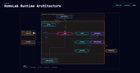
[Insert architecture diagram here — family devices → Pi-hole → Caddy → apps → 1 TB family-data disk → nightly backups to Backblaze B2 + a local drive]
The mental model is simpler than it looks:
- Your phone, laptop, or TV asks Pi-hole "where is
immich.mydomain.in?" - Pi-hole answers: "at Caddy, the front door" (
192.168.88.9). - Caddy checks the HTTPS certificate and routes you to the right app.
- The app stores your photos and files on the big 1 TB disk.
- Every night, that disk is encrypted and backed up — once to the cloud (Backblaze B2, roughly ₹85/month), and once to a local drive sitting next to the server.
Everything runs on one machine, virtualized into isolated compartments by Proxmox. If one service crashes, the others don't notice.
The part nobody talks about: keeping it alive
Here's the honest part. The weekend build was fun. The maintenance is a job.
Backups are the whole game. There's a rule called 3-2-1: three copies of your data, on two different kinds of media, with one copy off-site. I have a nightly encrypted backup to Backblaze (off-site), a nightly backup to a local hard drive, and a weekly full snapshot of the entire server. I've even practised restoring from a full wipe, because "trust me, it's backed up" is not a backup — a restore you've tested is.
And I'll be blunt: owning your data is scary. When it was in Google's cloud, a hard drive dying was Google's problem. Now it's mine. The week before I got backups running, I genuinely felt the weight of ~300 GB of irreplaceable family photos sitting on one spinning disk. If you're not prepared for that feeling, self-hosting will not be relaxing for you.
Things break in ways you don't expect, too. A power cut once reset my ad-blocking DNS, so every *.mydomain.in address in the house stopped resolving. The services were all running, the house just couldn't find them by name anymore. Another time, a full system disk made every database crash-loop at once. Both times it took a few commands and a deep breath, and everything came back. No data lost, which is exactly what the backups were for. But both times, it was my 2am problem, not Google's.
That's the real job description of a homelab owner: not "person who buys a server," but "person who is on call for their own house."
The honest math
Here's the table I promised. What we cancelled:
| Subscription | Monthly | Who |
|---|---|---|
| Google One (photos backup) | ₹130 | Wife |
| iCloud (200 GB) | ₹219 | Me |
| Netflix | ₹649 | Family |
| Total cancelled | ₹998/month |
What it now costs to run instead:
| Cost | Monthly (approx) |
|---|---|
| Backblaze B2 cloud backup (~100 GB) | ~₹85 |
| Electricity (24/7 server) | ~₹150–250 (depends on your local tariff) |
| Domain + Cloudflare | ~₹85 (domain amortized; Cloudflare is free) |
| Software | ₹0 (all open-source) |
| Total running cost | ~₹320–420/month |
So the monthly picture is genuinely better: about ₹600–650 a month freed up, or roughly ₹7,500 a year.
But here's the honesty you came for: my ₹25,900 of hardware takes over three years to pay for itself out of those savings. That's before counting the hours I spent on weekends, the cost of my own time, or the risk that a drive dies tomorrow and I discover my restore procedure has a flaw.
If the goal is "cheapest way to store photos," Google wins. It's not even close. The goal here was never cheap — it was owning the thing, having unlimited-ish storage on hardware I control, learning how the internet actually works, and the very specific kick of telling my wife "our photos live in our house now" and meaning it.
Should you do it?
Honestly? Maybe. Here's my genuinely unfiltered advice:
Try it before you commit. The three apps that matter most are Immich (photos), Nextcloud (files), and Jellyfin (media). Run just those for a week or two on whatever old PC you can find. If you feel a pull, if you actually enjoy fixing the DNS after a power cut instead of dreading it, this hobby is for you. If it feels like a second job, that's not a failure. It's valuable information. Stop, and keep paying Google ₹130. Your weekends are worth more.
It's for you if: you like tinkering, you're comfortable being on call for your own data, and you see the ~₹600/month savings as a bonus rather than the point.
It's not for you if: you want the cheapest, most reliable, zero-maintenance option. That product already exists. It's called Google.
What's next
I've only skimmed the surface here. Over the coming posts I want to go deeper on the things that surprised me most:
- Immich deep-dive — migrating 300 GB of photos, and making my wife's phone actually let go of Google.
- The backup stack — restic, Backblaze, and why I test my restores instead of trusting them.
- Jellyfin and the media stack — the good, the bad, and the "you will spend a weekend organizing filenames" reality.
- The failures — the power cut that took down our DNS, the full-disk crash, and every other 2am adventure.
- Pi-hole, Caddy, Tailscale — how the "no open ports, real HTTPS, friendly names" trick works, in plain English.
If any of those topics interest you — or if you're wrestling with a "should I self-host?" decision of your own — leave a comment or hit subscribe. This is a journey, and honestly, the best part so far has been that my family uses the thing I built.
The wife cancelled Google One. That was the review that mattered.
Source: r/homelabindia · by /u/aravindnaveen