I got my M2 Macbook Air to run Elden ring, at a playable framerate. 27.0.1 macOS, 8GB ram. It took too many hours, and a lot of interneting, and I learned passable bash in the process.
Step 1) Install Sikaguir. https://github.com/Sikarugir-App/Sikarugir Its a free (albeit much less user friendly) version of CrossOver. I tried to do whisky, but ran into a host of problems, so switched. Installing llvm took 2.3~hrs, plugged in with no other apps and 92% cpu load. Expect some work here.
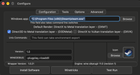
Step 2) Open Sikaguir Creator. It should be in your apps folder now. Select the most recent version (WS12Sikaguir11.0.1), and click create. It will open a configure window. Download steamsetup.exe (windows installer) Set the "Windows app" field to "C:\Program Files (x86)\Steam\steam.exe". SELECT "D3D Metal" INSTEAD OF "DXMT." (Otherwise, it will never launch) Click "Install Software" and select steamsetup.exe. Let that run, and finnish logging in/setting up steam (NOTE: Default icon with be wine- a wine glass next to a barrel- the icon can be chosen from finder, mine is the steam icon)

Step 3) If you are installing ER now, make sure that you A) have at least 60GB of storage free and B) Make sure that your MacOS steam (if you have it) is fully closed. To do this, open steam, go to the menu and click "exit." Make sure "Wine" is the only steam open. If the download says "0MB per second" and is stuck, you most likely have the other steam open and it is trying to install it through there.
Step 4) Make sure that Steam works. Now here's the complicated part: fully close steam (exit method from step 3). Then go to your shortcut (it will be in a file named "Sikaguir" unless you moved it into applications). Right click your shortcut, and select "Show Contents." Navigate to the "Game" folder under "ELDEN RING." It should be in this exact path: <yourShortcutName>.app/Contents/drive_C/Program Files (x86)/Steam/steamapps/common/ELDEN RING/Game
Step 5) In this folder, you need to do a few things 1) Rename the file "start_protected_game.exe" to "start_protected_game.exe.bak." MacOS will send a message asking you to confirm the change in the file name. Approve it. Now make a copy of "eldenring.exe" and rename it to "start_protected_game.exe" Last, but not least, add a new file (Open text edit, then Cmd + Shift + T. The file name should now be "untitled.txt" Move it into the "Game" folder.) Make sure it is a .txt file. Then type exactly this: "1245620" and rename it to "steam_appid.txt"

Step 6) Click "Play" in steam. Good luck tarnished. Make sure all you graphics setting are down, but I got 15-30 FPS, sometimes even above 45.
Source: r/macgaming · by /u/Sufficient_Leader559