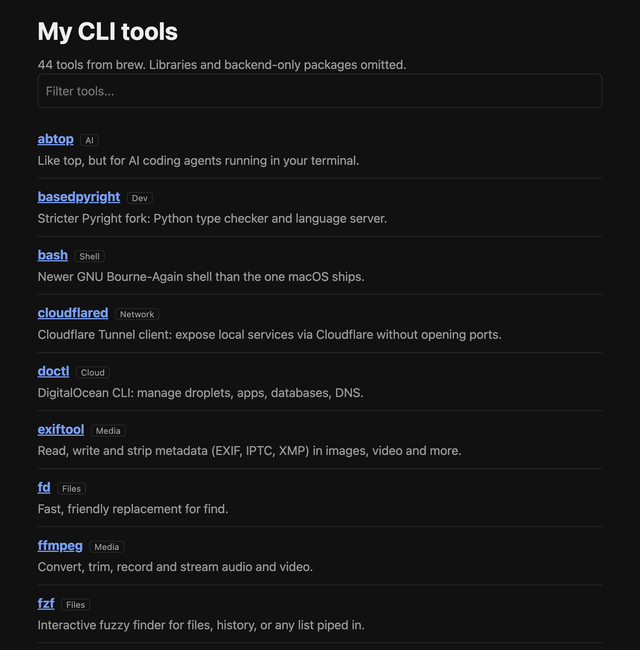
My issue, I forget what CLI / TUI tools I have installed that I can practice using, and add to my workflow. Used a simple prompt to create a stupidly simple html file with all my CLI tools and example usage. Also, this helps me remove things I don't use.
Prompt (modify as you need):
My challenge is that I keep forgetting CLI / TUI tools I have installed on my machine and sometimes forget their usage. My package manager is brew. Go through the list of tools `brew list` and get info for each tool using `brew info`.
Get the CLI tool name, URL, and summary of its capabilities. Finally, a section showing common usage examples. For example, for `fd`, an example like `fd logo -e png` would be helpful, with a one line short description. Please skip CLI installs that are used purely for backend use like `abseil`, which is a package of common C++ libs.
Output Format: Create a simple webpage. Use the fastest simplest css stack, nothing fancy. Add a quick search. Mobile responsive.
https://i.redd.it/df7y00v2mqvh1.png
Source: r/ClaudeCode · by /u/gob_magic