The one Windows tool I kept missing after moving to Linux was Advanced IP Scanner: scan the
subnet, see every box with its name and vendor, and click straight into it. nmap is
great, but it's not that. So I built it into the Omarchy bar.
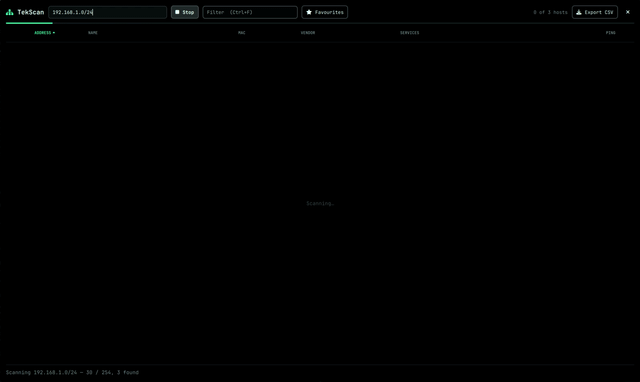
**TekScan** is a radar button in the bar (also in the launcher: Super+Space, "scan"):
– **Fast, no root.** A /24 in under ten seconds. Parallel ping, TCP connects to ~40
well-known ports, and the kernel's ARP table, so a host that drops ping still shows up.
– **Real names.** Reverse DNS, mDNS, and a NetBIOS query, so Windows machines show their
computer name and workgroup even when DNS has never heard of them.
– **MAC and vendor**, including randomized phone MACs, which are labelled as such
instead of guessed at.
– **An icon per host**: gateway, switch/AP, Proxmox, NAS, VM, printer, camera, Windows,
Mac, phone, IoT.
– **Actions that fit the box.** Open the Proxmox / UniFi / Synology / Portainer / Home
Assistant / Plex web UI; SSH, RDP, ping, traceroute and SMB share listing in a floating
terminal; Wake-on-LAN; copy IP or MAC. Double-click a row for the most useful one.
– **Filter, sort, star, export to CSV.** Keyboard-driven: Ctrl+F, arrow keys, F5 to
rescan, Esc to close.
– Scan any range, not just your own: a CIDR, `192.168.1.1-50`, or a mix, up to 4096
addresses.
**What it won't do:** no SYN scans, no OS fingerprinting, no banner grabbing. It's an
inventory of a LAN you run, not a port scanner. And since every name in the table is
whatever a device chose to call itself, nothing from a row reaches a command line unless
it's a plain IP, MAC or port number. That's checked twice, once in the UI and again in
the terminal helper.
Install:
omarchy plugin add https://github.com/TierTek/omarchy-tekscan –enable
https://v.redd.it/3lfxbqpi0yrh1
Source: r/omarchy · by /u/TierTek