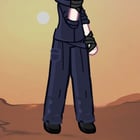
Age: 17
Occupation: Student
School year: 3rd
Grade: semi-grade 1 sorcerer
Height: 181cm
Technique: Cursed Keyboard Shortcuts
Cursed Keyboard Shortcuts is a technique that allows the user to use Windows shortcuts in real life, each one having its own different effect. To use the technique, the sorcerer is given a holographic keyboard that can appear and disappear at will. I’ll leave a list with some commands:
Properties: Allows him to see the properties of a sorcerer. It displays their: Name, Technique, Cursed Energy level, Date of birth, Grade, Contents (Weapons, Learnable techniques: Simple Domain, Reverse Cursed Technique, Shikigami, etc.)
Ctrl+P “Print”: When using this command, nearby printers are imbued with the sorcerer’s Cursed Energy. When this happens, the printer prints “Shikigami” (made of paper, obviously infused with Cursed Energy, it’s not normal paper duh) that can be used to annoy the enemy or defensively. The Shikigami are nicknamed “Cursed Papers.”
Ctrl+A “Select”: Selects a sorcerer or object. This must be done before using “Copy” or “Cut.”
Ctrl+X “Cut”: Selects a sorcerer or object. Once selected, it can be moved to another location. The location must either be within sight or somewhere the user has previously been to.
Ctrl+C “Copy”: Can only be used to store objects or things inside a non-specific storage space. There are certain limits and restrictions on the objects that can be stored:
The total weight of the stored objects cannot exceed one ton.
Objects cannot exceed 5 meters in height or length.
Only 5 objects can be stored.
Living beings and Shikigami cannot be stored (with the exception of his own Shikigami. In this exception, he can only store 100 “Cursed Papers”).
A maximum of 2 Cursed Objects can be stored.
These objects can only be summoned using “Paste.”
Ctrl+V “Paste”: Takes out objects stored with “Copy.” It can only retrieve objects, and said objects must have previously been selected using “Clipboard.”
Win+V “Clipboard”: Allows him to select objects stored with “Copy” so they can later be taken out using “Paste.”
Ctrl+H “Replace”: Can be used to replace objects that were previously created with “Paste.”
Domain Expansion: “Purge of Cursed Processes”
Type of Expansion: Incomplete
Effective Range: 94-meter diameter
What does it do?
The Domain Expansion summons a giant panel (around 7 meters tall and 5 meters wide) displaying all objects or bodies containing Cursed Energy within the previously mentioned range in the form of “processes.”
The sorcerer has the ability to “End” these processes. Depending on the power difference between the target and the user, 3 things can happen:
If they are weaker than the user, they are stripped of their Cursed Energy.
If they are around the same level as the user, their Cursed Energy is reduced by approximately 50% of their total Cursed Energy.
If they are much stronger than the user, their Cursed Energy begins to decrease gradually (meaning the target’s Cursed Energy slowly starts being reduced).
IMPORTANT: The technique is obviously incomplete due to the immense amount of shortcuts there are. Suggestions are welcome!
https://www.reddit.com/gallery/1wn5gce
Source: r/CTsandbox · by /u/Forward_Seaweed_2843