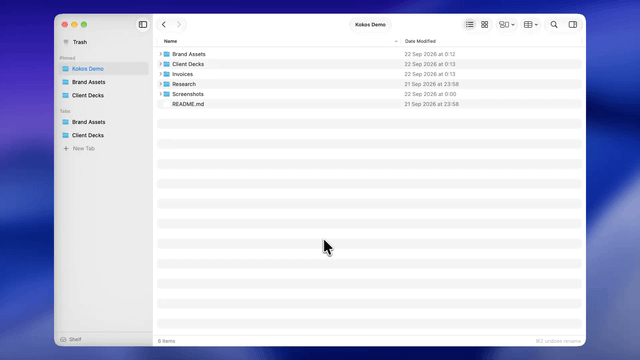
I'm a product designer and I've spent years being mildly annoyed by Finder. Not enough to switch to a dual-pane commander, just enough to want tabs that behave like browser tabs and a cut/paste that actually works.
So I built Kokos. It's small and fully native (SwiftUI + AppKit, no web views), macOS 26+ only because it leans on the new system materials.
What's different:
• Tabs live in the sidebar. ⌘T opens one, ⌘D pins it, two tabs go side by side in split view.
• ⌘K jumps to any folder, path, or opens a terminal in the current folder.
• ⌘X / ⌘C / ⌘V on files, ⌘Z undoes any operation, including trash and batch rename.
• ⌘F filters by name or type, or searches all subfolders.
• A shelf to collect files from several folders, then drop them all at once.
• Preview panel, folder colors and emoji, batch rename.
• Optional: make it open folders instead of Finder.
Free for 7 days, then €7.99 one-time, no subscription. No accounts, no telemetry, the privacy page lists every network request the app makes (there are two).
It's a first release, so I'd genuinely like to hear what breaks and what's missing. I'll be in the comments all day.
https://v.redd.it/t9gmxk6h8yqh1
Source: r/SideProject · by /u/YarikBright