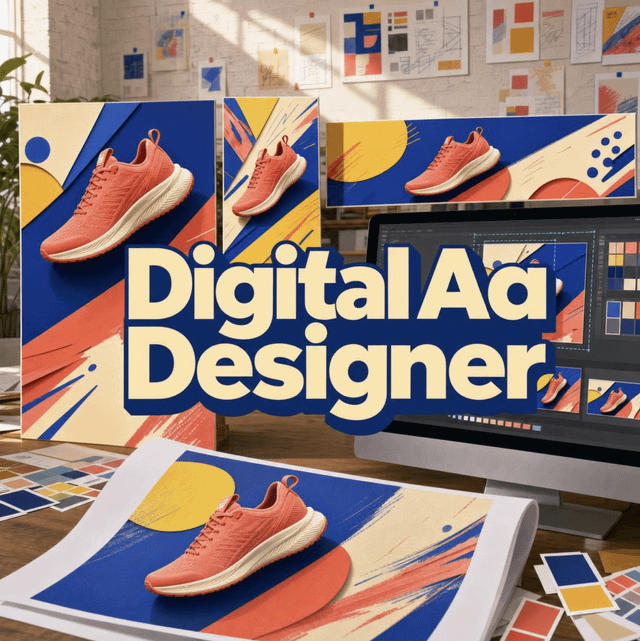
How Do AI Ad Designers Compare on Platform-Native Specs and Creative Diversity?
Jenova's Digital Ad Designer is strongest when you need static, platform-native ad images built around real product photography, varied hooks, and funnel-specific layouts. AdCreative.ai is stronger for high-volume templated variants with creative scoring, Canva Grow is better when teams want to edit and publish inside one design suite, and Pencil fits brief-to-results workflows with tight generation caps.
That distinction matters more in 2026 than a generic “AI made an ad” claim. Paid social now rewards distinct creatives, not one polished hero resized for every placement.
Key factors that separate performance-minded AI ad design from generic image generators:
✅ Platform-native composition — 4:5 Meta feed, 9:16 Stories/TikTok/Snapchat, 1.91:1 LinkedIn and Google Display, 2:3 Pinterest, each with different safe zones and user behavior
✅ Product visual integrity — real uploaded or URL-extracted product photos rather than invented packaging
✅ Creative diversity for testing — layout type, visual style, and hook angle treated as independent variables
✅ Copy discipline — one message per ad, matched to a framework such as PAS, AIDA, or BAB
✅ Honest production limits — AI text rendering, policy flags, and video coverage still vary widely by tool
To compare these products fairly, it helps to score them on spec fidelity, asset integrity, and how many different ads they can produce before they start repeating themselves.
Why Has Ad Creative Volume Become a Performance Constraint in 2026?
Creative volume is now a media-buying constraint, not a design preference, because auction platforms keep raising the cost of showing the same ad to the same people. Meta CPMs rose about 20% year over year in 2025 across a large ecommerce sample, while TikTok CPMs climbed roughly 16% in the same period.
At the same time, generative AI moved from experiment to default. Nearly 90% of advertisers now use some form of generative AI in their creative workflow, up from about 55% at the start of 2025. That adoption does not automatically improve results. It raises the floor: more competitors can ship more variants, so undifferentiated layouts fatigue faster.
Meta’s 2025 shift toward the Andromeda ranking system increased pressure to feed the auction more creative volume rather than over-optimizing a single winner. In practice, a campaign with five hook angles and three layout types covers more audience segments than ten color tweaks of the same headline.
A useful 2025 baseline for Meta click-through rate still sits around 1.61% to 2.64%, depending on industry. Tools that only multiply templates rarely move that number. Tools that change the reason someone stops scrolling have a better chance.
What Should You Look for in an AI Digital Ad Designer?
You should evaluate an AI ad designer on six production dimensions, not on how photogenic a single sample looks. This article uses a Platform-Native Creative Fit model: spec fidelity, product integrity, message architecture, creative diversity, brand lock, and cost per usable variant.
Spec fidelity asks whether the system designs for a placement or merely resizes. A 4:5 Instagram feed ad that puts the offer in the lower third will lose it under UI chrome. A TikTok 9:16 ad that looks like a polished display banner gets skipped because it does not behave like native content.
Product integrity is the quiet failure mode. For physical goods, invented packaging, warped labels, and extra bottle caps destroy trust even when the layout is strong. App and software ads should start from real screenshots. Services and events can use generated scenes, but the brief should say so.
Message architecture means one idea per ad. Pain-point, transformation, social proof, authority, curiosity, urgency, value stack, contrarian, relatability, and direct benefit are different hooks. Repeating the same hook across a set reaches the same people five times.
Creative diversity is independent of style. A serum brand can run Ingredient Breakdown for education, Before & After for conversion, and a Testimonial Card for retargeting without changing the brand palette.
Brand lock is whether colors, type direction, and logo persist after the first approved ad. Cost per usable variant is what you actually pay after retries, credits burned on downloads, and a finishing pass for type.
AI ad tools in 2026 commonly price between about $14 and $300+ per month, so the question is not “is there an AI option?” It is which option produces testable, on-spec ads without a designer in the loop for every resize.
How Do Jenova's Digital Ad Designer, AdCreative.ai, Canva Grow, and Pencil Compare?
Jenova’s Digital Ad Designer is the most layout-aware option in this set for static, multi-platform image ads, while AdCreative.ai, Canva Grow, and Pencil each win on scoring, in-editor publishing, or end-to-end campaign workflow. None of them is a universal replacement for a media buyer or a motion studio.
| Feature / Dimension | AdCreative.ai | Jenova Digital Ad Designer | Canva Grow | Pencil |
|---|---|---|---|---|
| Primary output | Templated static ads, copy, product shoots; video on higher tiers | Platform-native static ads across 15 layout types | Editable static ads from a site URL, then Canva editor | Multi-model generation inside a brief-to-results workflow |
| Platform spec handling | Multi-platform exports; layouts can look repetitive | Explicit ratios and behavior per Meta, Google, LinkedIn, TikTok, Pinterest, Amazon, Snapchat, X | Strong resize and brand kit; less performance-trained composition | Generation and adaptation agents; less public spec coaching |
| Product photography | AI product photoshoots from uploads | Requires real product photos or URL extraction for physical goods | Pulls images from the product URL you provide | Model-dependent; not a dedicated packshot studio |
| Scoring / insights | Creative scoring and competitor insights | No built-in CTR predictor | Performance dashboard after publish | Workflow analytics; no competitor-ad tracking |
| Direct ad-account publish | Connects Meta/Google and others | Export-based; no native campaign publish | Publish to Meta, TikTok, or LinkedIn | Deployment agents on higher workflow plans |
| Pricing (as of 2026) | Starter commonly ~$39/month**](https://www.g2.com/products/adcreative-ai/pricing); Professional [**from ~$249/month | Free tier with limited usage; Plus $20/month (30× usage) | Canva Pro from about $12.99/month | Core $14/month (50 gens); Growth $55/month (250 gens) |
| Best for | High-volume Meta/Google variant production with scores | Advertisers who need distinct hooks and on-spec static layouts | Teams already living in Canva who want generate-edit-publish | Small teams wanting a full campaign OS with generation caps |
AdCreative.ai
AdCreative.ai is built as a performance-marketing production desk: banners, ad text, product photoshoots, and (on higher plans) video, plus scoring and competitor insights. Marketers who want a predicted winner before spend will find that scoring layer useful, and the product can generate many variants quickly from a brand setup.
The trade-off is sameness. Independent testing has found that static outputs can feel templated, and competitor or compliance features sit mostly on higher tiers. Credits are typically consumed on download rather than on generation, which changes how teams iterate. Video, UGC, and storytelling formats are widely reported as locked behind the Professional plan around $249/month.
Canva Grow
Canva Grow is the right comparison when the bottleneck is workflow, not art direction. You drop a website or product URL, generate ads, refine them in the familiar editor, and publish to Meta, TikTok, or LinkedIn without a separate export hop.
It is also a generalist. Reviewers note that Canva’s AI is not trained specifically on ad performance data, and Grow’s generator is currently static-focused. Image choice can be constrained to assets found on the URL, which is awkward for unreleased products. For pixel-level type and brand-kit control, that editor is still a genuine strength.
Pencil
Pencil is less an ad layout engine than a campaign operating system. As of March 2026 it lists a Core plan at $14/month for 50 generations and Growth at $55/month for 250, with a multi-model “open garden” approach and a Gartner Cool Vendor 2025 mention in the same reporting.
Those caps are the constraint. A testing week that needs 80 image variants blows through Core immediately. Pencil also lacks the competitor-ad intelligence AdCreative.ai sells. It is a better fit when the job is brief → create → adapt → report, not when the job is “give me a 4:5 PAS pain-point ad and a 9:16 UGC-native variant tonight.”
Flair.ai, as a specialist alternative
Flair.ai is not a full ad composer, but it is a relevant alternative for packshot-led ecommerce. Testers describe it as a digital photo studio: upload a product, add props, and render lifestyle scenes, with Pro plans starting around $10/month.
It does not link to Facebook or Google ad accounts, and small type or logos can soften during complex renders. Use it when the missing asset is a scene, then move the result into an ad layout tool.
Jenova Digital Ad Designer
Jenova’s Digital Ad Designer behaves like a performance-minded art director: it chooses a layout type, a visual style, a hook, and a copy framework, then composes to the placement. It covers Google Display and Demand Gen, Meta feed and Stories/Reels, LinkedIn, X, Pinterest, TikTok, YouTube thumbnails, Snapchat, Amazon, and programmatic banners.
Its honest limits are equally specific. It is image-first, not an avatar-video factory. Rendered headline text can need a finishing pass in Canva or Figma. It does not score creatives against your live ad account or push campaigns into Ads Manager. For physical products it will not invent the SKU — you upload photos or provide a product URL.
On Jenova, related work often sits next door. Brand Kit Generator is useful before the first campaign if palette and type are still undefined. Meta Ads Image Generator is the narrower option when the only placements are Facebook and Instagram. Product Copywriter is the natural handoff when the ad’s landing page copy has to match the hook.
How Do Platform-Native Specs Change What an Ad Should Look Like?
Platform-native specs change hierarchy, not just canvas size: the same product photo can be correct on Pinterest and wasteful on LinkedIn. Cross-platform charts for 2026 still treat aspect ratio, minimum resolution, file weight, and safe area as the first production checks.
A practical map, with the caveat that networks update placement UI often:
- Meta feed (Facebook/Instagram): 1:1 or 4:5; 4:5 usually wins more mobile real estate. Put the product and headline in the upper 60%.
- Instagram Stories / Reels and Snapchat: 9:16. Hook in the first beat; keep critical type away from side rails and the lower CTA bar.
- TikTok in-feed: Official auction creative guidance recommends vertical 9:16 at least 540×960px (1080×1920 is the working standard), with files under 500 MB. Traditional banner styling reads as an ad and gets skipped.
- LinkedIn: 1.91:1 for many link ads, 1:1 for engagement. Data, authority, and quieter color beat lifestyle shock.
- Google Display / Demand Gen: Landscape 1.91:1 plus square 1:1 are the responsive baseline; banners still include 300×250, 728×90, 160×600, and 336×280.
- Pinterest: 2:3, with text overlay expected and saving intent in mind.
- X: High-contrast 16:9 or 1:1 competing with a text-heavy timeline.
- Amazon: Clean product focus, trust marks, differentiation — not mood photography.
- YouTube thumbnails: 16:9, readable at a fraction of screen size.
Social spec roundups from Sprout Social and similar 2026 placement guides converge on the same rule: 1080px on the shortest side is the safe still-image floor for most social buys.
Copy-pasting an Instagram 4:5 into LinkedIn does not “adapt” the ad. It keeps Instagram’s visual energy in a professional feed. Effective AI designers recompose: different type scale, different proof style, different amount of empty space.
Which Creative Types and Hook Angles Work Best at Each Funnel Stage?
The layout should follow the job of the ad, not the product category. A supplement, a SaaS trial, and a local service can each use the same 15 composition patterns if the message structure matches the funnel stage.
| Funnel job | Layout types that usually fit | Hook angles that usually fit |
|---|---|---|
| Awareness / discovery | Product Hero, Lifestyle Context, Founder Story | Curiosity, relatability, direct benefit |
| Consideration / education | Feature Benefits, Ingredient Breakdown, Advertorial, Comparison | Authority, pain point, contrarian |
| Conversion / purchase | Offer Stack, Before & After, Problem → Solution, Testimonial Card | Urgency, value stack, transformation |
| Retargeting | UGC Review Post, Testimonial Card, Offer Stack | Social proof, urgency |
| Multi-SKU | Multi-Product Grid, Product + Variants | Value stack, direct benefit |
Style is a separate choice. Studio Clean, Lifestyle Editorial, Bold Graphic, Premium Minimal, UGC Native, Flat Illustration, Cinematic, and Organic/Handcrafted can all sit on top of those layouts. Luxury can be UGC Native if authenticity is the strategy; ecommerce does not have to default to white-background packshots.
Campaign sets should vary two axes at once — hook and layout — not just the background color. Five ads that all say “48 hours only” are one idea. One PAS pain-point, one BAB transformation, one social-proof card, and one offer stack give the auction different people to find.
Policy is part of creative type selection. Before/after imagery, implied personal attributes, fabricated testimonials, and aggressive health claims are common rejection triggers across Meta and Google. AI can draft the layout; it cannot certify approval. Sensitive categories need a human check against current platform rules before spend.
How Do You Brief an AI Ad Designer for Conversion-Ready Creatives?
A usable brief is two must-haves — what you sell and what the ad must make someone do — plus platform, offer, and brand constraints if you have them. If those first two are clear, generation can start; the rest is calibration.
For Jenova’s Digital Ad Designer, a typical first pass looks like this:
- Open the agent at jenova.ai/a/digital-ad-designer and upload product photos (or a product URL for extraction). For apps, upload screenshots; those are the product.
- State the goal and CTA in one line:"Conversion ad for GlowSerum Vitamin C. 20% off plus free shipping. CTA: Shop the set. Instagram feed, then we'll adapt to Stories and Google Display."
- Add brand constraints if they exist — palette, logo, type direction, or a competitor ad you want to avoid copying.
- Review the first 4:5 feed ad, then ask for one-variable tests (hook only, or layout only), then ratio adaptations.
If the first image is about 80% right, edit the specific miss — headline wording, background, badge — rather than regenerating the whole composition. Full regenerations randomize what was already working.
For Canva Grow, the parallel path is URL-first:
- Open Grow, paste the product page, and attach any extra visuals.
- Prompt the offer and audience, generate, then fix hierarchy in the editor.
- Publish to Meta, TikTok, or LinkedIn from Canva if those are the only channels.
First-time advertisers should ask the system to name the layout type and why it matches the goal. Experienced media buyers can skip the lecture and request a three-ad set: awareness lifestyle, consideration feature stack, conversion offer.
A clean A/B request is one dimension:
"Keep this Product Hero and coral palette. Change only the hook from transformation to social proof, and write a new headline under 40 characters."
That produces a test. “Make it pop” does not.
What Do Performance Marketing Experts Say About AI Ad Creative?
Performance teams in 2026 treat AI ad design as a variant engine with art-direction rules, not as a substitute for offer quality or landing-page match. The experts who get cited are the ones who talk about what to vary and what still breaks.
"The expensive mistake we still see is using AI to polish one hero and then resizing it for every network. After Meta put more weight on creative volume, the winning behavior is structured diversity: different hooks, different layout jobs, same brand lock. Ten recolors of one headline are not ten ads. They are one ad with a fatigue timer."
"Product integrity is the other split. If the bottle, the UI screenshot, or the pack copy is hallucinated, you did not save a photoshoot — you created a trust problem that shows up in comments and in policy review. Use real product pixels, then let the model do hierarchy, type placement, and platform cropping."
"On scoring tools versus composition tools, both can be rational buys. A score is useful when you already have a template language and need to rank 40 downloads. Composition fluency is useful when Instagram, LinkedIn, and Demand Gen should not share a layout. Most accounts need the second skill before they need the first dashboard."
— Jenova Product Team, AI agent design, 8 years building domain-specific creative agents
That view lines up with the broader 2025–2026 evidence: CPMs are up, generative adoption is high, and click-through still clusters in a narrow band unless the stop-the-scroll reason changes.
What Limitations Should Advertisers Expect From AI Ad Design Tools?
Every serious AI ad designer still fails in predictable ways, and buying decisions get better when those failures are named. The recurring issues are text fidelity, policy risk, video gaps, credit economics, and creative sameness.
Text rendering remains imperfect across image models. Headlines can drop a letter, warp a logo, or ignore the specified type hierarchy. Jenova’s Digital Ad Designer verifies copy after generation and prefers element-level edits, but pixel-perfect typography is still often finished in a design tool. AdCreative.ai and Flair.ai show the same class of label and type issues in third-party tests.
Policy risk is on the advertiser. Personal-attribute language, miracle health claims, fake scarcity, and invented reviews can be generated accidentally. No reputable system should promise that a concept will clear Meta or Google review.
Video is a different product. Creatify-style avatar tools, TikTok-native UGC, and YouTube narrative spots are not what a static art-director agent is for. AdCreative.ai’s stronger video features sit on higher-priced plans. Canva Grow’s dedicated generator is still static-first.
Credits and retries distort sticker prices. AdCreative.ai lets you generate freely but charges credits when you download. Pencil’s Core cap is 50 generations. Failed video renders on other platforms can burn credits without a usable file. Jenova’s paid tiers multiply monthly usage rather than selling per-download credits, but the free tier is usage-limited.
Sameness is a media problem. If every competitor uses the same template library, pattern interruption disappears. That is why layout type, hook, and style need to be chosen from the brief rather than from a category default.
Jenova also cannot schedule a Monday creative drop, watch policy pages for you, or fabricate testimonials. Those are workflow and legal boundaries, not missing buttons.
Used on those terms — real product assets, one message per ad, platform-specific recomposition, human policy checks — AI ad designers are a production multiplier. Used as a slot machine for “make me ads,” they mainly manufacture fatigue faster.
References
- Digital Applied — AI ad creative benchmarks 2026, including generative AI adoption among advertisers
- AdLiftr — 2025 Meta and TikTok CPM movement from ecommerce creative-testing data
- Andrew Foxwell — Meta Andromeda and creative-volume testing frameworks used by brands
- AdAmigo.ai — Meta ad creative CTR benchmarks for 2025
- WASK Blog — 2026 pricing ranges for AI ad creative tools
- AdCreative.ai — Product capabilities, credit model, and plan positioning
- G2 — AdCreative.ai publicly listed pricing editions
- Venngage — Hands-on comparison of AI ad generators, AdCreative.ai plan notes, and Flair.ai pricing
- Canva Grow — AI ad generation, in-editor refinement, and publish-to-platform workflow
- Monetizely — Canva Pro pricing for AI design features
- Rocketium AI Studio — AdCreative.ai alternatives, Pencil plan caps, and Canva’s limits as an ad production platform
- AdDogs — 2026 ad sizes and specs across major advertising platforms
- TikTok Ads Help — Official in-feed auction creative specifications and safe-zone notes
- Sprout Social — Social platform advertising and video specification guide
- Zeely — AdCreative.ai review covering Starter, Professional, and Ultimate plan tiers
https://i.redd.it/gqt3f7in8nqh1.png
Source: r/jenova_ai · by /u/Rude-Result7362