I do CRO/UX work for an e-commerce company and often lost time with the same audits or issues: is this button actually firing a dataLayer event, did the pixel fire twice, what's the actual selector I should test against,… It usually meant DevTools console and monitoring the network tab while writing everything down in another document to save and share.
I built it to save me some time, so it might do the same for you.
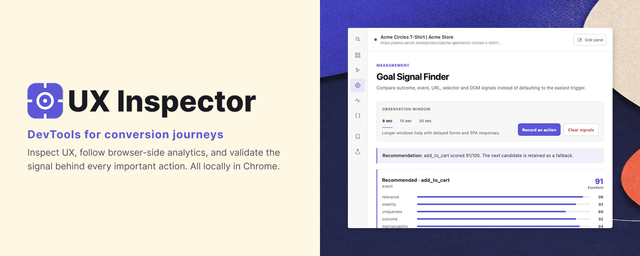
UX Inspector is a side panel extension that:
- gives you an overview of the stack (platform, framework, analytics/experimentation tools)
- lets you pick any element and see its selector, accessible name, semantic role, local performance,…
- shows a live timeline of dataLayer / gtag / Meta Pixel / MS UET events as you click around. It also shows your behavior in the timeline so you can doublecheck if your actions fire the right events
- has a "Goal Signal Finder", which is pretty cool. You can record an interaction and it tells you what actually changed (event, URL, DOM) so you can pick a signal worth testing in an A/B test
- flags missing events, duplicates, incomplete commerce parameters
- shows Structured Data in a clear overview
- lets you save findings and export verything as Markdown or JSON for handoffs or to feed it into the AI of your choice.
- runs locally, nothing gets sent anywhere unless you export it yourself.
You can also choose to open the extension in a pop-out window to make sure the webpage keeps it's original size (and does not scale to mobile for example).
It's a first version, so it might have some issues still. If you do CRO, tracking QA or agency audits, I'd like to know what works or what doesn't: UX Inspector
Feel free te test it out and leave a review or feedback if you like to share something.
https://i.redd.it/bkws0t7v1wph1.png
Source: r/chrome_extensions · by /u/ScrantonBranchLife