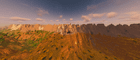
While enjoying a mochaccino—which I genuinely did —the seed finder in LB turned up this hot-climate world generation (it was a total dud, though 🥀). It features rugged, mountainous terrain covered entirely in rocky peaks that exceed the vanilla Y=255 height limit. These mountains encircle valleys containing Minecraft's three hot biomes 🏆, including steep Badlands and Eroded Badlands with mountainous relief—some sections of which also surpass the game's height limit 🌋🔴🏞️.

-> SEED 🌱: 35856942486535574
-> PRESET 📐: Large Biomes 🇬🇧🇪🇸
-> COORDS 🧭: @ Spawn
I hope you like this generation! :J 👍
(The opposite of Blizana, Lol :V)
⬆️P.S. If you're on Bedrock, you can try this trick to play a "Large Biomes" world in this version: First, you need to generate a world in Java using a borrowed PC, explore the area you're interested in, close the world, compress the save file into a .zip, and run it through chunker.app to convert it to the Bedrock format [.mcworld]. IMPORTANT: You need a Realms subscription or a connection to a BedrockConnect DNS server to play the world. In the latter case—since consoles don't allow uploading local files—we'll use a free DNS redirection trick called BedrockConnect to connect to an external PC server that has the map loaded. Step 1: Configure your console (do this just once). Go to your console's Network Settings (Xbox, PlayStation, or Switch). Choose Advanced Settings or Set Up Internet Connection. Change the DNS from "Automatic" to "Manual." Enter these DNS codes: Primary DNS: 104.238.130.180; Secondary DNS: 8.8.8.8 (or 1.1.1.1). Save the changes and restart Minecraft. Step 2: Enter the server. Open Minecraft on your console and go to the Servers tab. Join any official server from the list (like The Hive, Lifeboat, or Mineplex). It doesn't matter which one you choose. Because of the DNS change, the game won't open that server; instead, it will redirect you to a secret on-screen menu (the BedrockConnect interface). Step 3: Load the Large Biomes map. In that secret menu, select the "Connect to a Server" option. Enter the IP address and port of the PC server hosting this converted map. You're all set! You'll now be playing the Large Biomes world on your console. This info might be incorrect, though, since I hardly play Bedrock and don't fully understand the game modes.
https://www.reddit.com/gallery/1weozxe
Source: r/minecraftseeds · by /u/Life_Strike3301