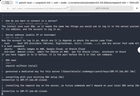
We've now released v0.3.0 for Codemagic Patch, with new improvement for self-hosting your OTA updates.
CLI Install Wizard
The install wizard now handles as much of the install as possible, so no manual SSHing is required. It takes you through installing the server, then wiring up the OAuth, DNS and CDN.

That includes providing suitable links, so that setup in GitHub or Cloudflare should mean just clicking through then hitting save.
We also have an equivalent install wizard for the local evaluation stack. Just run cmpatch selfhost local-eval to play with Patch on your machine.
Clean, detailed metrics
OTA update metrics have typically shown a "failure" even if it was something that succeeded on the next attempt. That muddies the data, so our dashboard now only reports on actual failures, not flaky ones.
Only permanent failures are now counted

If a device initially fails but succeeds on a later attempt, the failed event is now dropped to avoid misleading metrics. For genuine failures, each carries a payload (HTTP status, origin or platform error message) that you can see in the dashboard.
Failures now include error details for better debugging

Server status page
For ease of maintenance, the team dashboard now includes a Status page. You can check everything is running and up to date, without having to login or visit the machine.

Source: r/u/Codemagicio · by /u/Codemagicio