
Posting on the WGU IT subreddit because the WGU sub automod keeps deleting this…
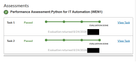
I passed D522 Python for IT Automation V2 (PA version) task 1 and 2 today, and I figured I would share my experience since there isn't much info online about this new PA.
Overall, I think the content of the class was good, but the execution of the PA pretty rough and confusing.
Note: I am not going to give you any code or help you write code. The whole point of this course is to learn how to write code and solve problems with code. Don't DM me and ask for code. Ask your instructor for help and review official documentation or websites like W3 schools.
Time: I was enrolled in the class for a bit less than one month, but I only spent about two weeks dedicated to the course. I work a VERY full time job and was out of town for about half of the month.
I spent about 6 nights going through the course material and trying out my own scenarios with the material I learned in each lesson to make sure I understood the functions. I spent about 7 nights working on the PA, but most of that was dealing with confusion on the lab. I wrote almost all of the code in 3-4 nights. Personally, it was very hard for me to start and stop coding once I was in the zone.
Course Material:
The course material was actually pretty good. It felt modern and I think it adequately prepares you for the PA. The "applied practice" sections are hit and miss though. Particularly, section 3, lesson 2.4. The vyos module and the get_interfaces function for NAPALM doesn't work in the lab. I even ran the "solution" code for a few of the applied practice lessons and several of them did not work. I recommend trying to come up with your own applied practice scenarios. Although, I accidentally made one recursive file backup script that created hundreds of thousands of files on my computer within a second, so maybe use the lab for practice.
Almost every command you need for the PA is included in the course material. I had to use some of the paramiko documentation to get that working, but everything else can be completed with the basic code from the course material. You will need to create much more complex code, but the basic syntax and usage is provided in the course material.
General Notes:
- Use the "D522 Reference Guide Detailed" document provided by the instructors. This is absolutely critical to understanding the PA. It's actually quite frustrating that the rubric is so poorly written that they need a 50+ page document to understand each step of the PA.
- Setup your gitlab workflow / pipeline / repository before starting the course material. Create a testing branch or a course material branch in your gitlab so you can test your code in the lab environment.
- Create a working branch for each task. Don't write your code on the main branch. Create the Task 2 branch only when your code from task 1 is complete. Remove any screenshots or task 1 specific files from the task 2 branch.
Lab Environment:
The lab environment is the worse part of this class. It makes the whole course much harder than it needs to be. I wish they provided a GNS3 portable project to install on your personal computer rather than using the lab environment.
Here's a few tips to make the lab easier to use.
- USE CHROME! There are major functions of the labs that don't work in Firefox. (Copy paste, or even some functions of the script libraries.)
- Copy / paste is really hard to use. Minimize how much you copy / paste at each time, and use right click commands rather than hotkeys.
- Save a document in a secure spot with your Personal Access Token and git config commands (see below) so that you can copy and paste them into the lab each time.
- Setup the lab the same way each time before starting your work:
- Open lab via the link
- Open GNS3 and VS Code.
- Wait for GNS3 to load the devices.
- Run the "Start_gns3_network" script in VS Code.
- Open a new VS Code window while the GNS3 network is getting setup.
- In the new window, install the gitlab extension for VS code.
- Sign in to the gitlab extension with the Personal Access Token you made. (Directions in the guide from the instructors)
- Clone the gitlab repository to the lab PC. Pick an easy spot like Documents for your local copy.
- Open the repository.
- Set the git config in the terminal window 1. git config –global user.email "your.email@example.com" 2. git config –global user.name "Your Name"
- You are now ready to work on your code.
- You can use the "screenshot" application in XFCE under application > Accessories > Screenshot.
- Commit often and make sure you sync your work to gitlab regularly to save your work.
- You can install VS Code on your personal computer and connect to the gitlab repo. Sometimes the lab VM is really slow and buggy so it's nice to code directly on your own workstation. Just be very careful to commit and sync often so that you don't run into weird branching issues.
- If you haven't used GNS3 before, it can be hard to understand the network. All of the devices in the GNS3 lab run on the local host, and you can access them at "localhost : port number". Some devices can be accessed with SSH, but not all of them so you will need telnet too.
- Task 2: The lab supplies .bat files in the same folder as the start_gns3_network script. Use these .bat files to break DNS on a few devices and disable devices for Task 2 requirement C. You don't need to get creative on how you break it, just execute the .bat files to break the GNS3 lab. Make sure your script repairs the problem created by the .bat files since that is probably what the evaluators will use to grade you.
Code Writing:
- Task 1 is MUCH harder than Task 2. Task 2 re-uses almost all of your code from Task 1 and runs it on a loop. You will need to adjust some of the code to match the new requirements, but you can re-use almost everything from task 1. Writing clean and modular code in task 1 will make task 2 very easy.
- Complete everything in task 1 and make sure you have clean code before starting task 2. Any issues in task 1 will make task 2 much harder.
- You shouldn't need to install any third party libraries. Every library you need will be installed on the lab. They already include stuff like Pexpect, Paramiko, Napalm, etc.
- Walk through the rubric and instructor guide in order, step by step. You will build code in each requirement that is used multiple times for other requirements / tasks.
- I highly recommend that you write all of the code (expect task 2 requirement B) in one file / script. It will help you so that you don't have to duplicate code so much. Write a function for each requirement and call it in the "main" section. You may need multiple functions to complete some tasks. Creating functions will make your code much cleaner.
- It's insane that this course is teaching people to use telnet and hardcode passwords in 2026. Ignore security best practices for this course. Pull passwords from the network_devices.csv and use telnet to access devices without SSH / API access.
- Task 1 B2 is by far the hardest and most important task of the entire course. Figure out a clean way to get (and store!) the device information, find the DHCP info from each device, ping the devices (only those that are not exempt from B2) then get the DNS config from each device. It may be helpful to break each part of this into it's own function.
- The trickiest part of B2 is the logic tree that you need to build to determine if the DNS config is correct for each device. I recommend that you write out the logic tree you want in normal words prior to trying to make the code. "If the DNS setting is XYZ then it should return ABC value, but if the DNS setting is 123 then it should return 345, but if neither of those are true then it should do blah blah blah."
- Your script should keep track of which devices devices have bad DNS config to use in later requirements / tasks.
- If you gather data about a device, you should probably store it in a variable because you will need that information for almost every other requirement.
- Comment almost everything in your code before you write it. This will help you figure out what you want the next section to do. Use the comments to describe in plain language what you want the next chunk of code to do. It will also help you troubleshoot when something isn't working.
- Task 2 Requirement B – They are asking for the device configuration from the CSV not from the actual device. You just need to include the information from the CSV. Should be super easy if you stored the data from B2 properly.
- I thought sending the emails and creating / updating helpdesk tickets would be the hardest, but it was actually the easiest part as long as you store device information in an easily accessible way. Just read the API and email documentation. The API documentation page will even help you write and format the code with the "Try it out" button.
- Collect screenshots as you complete each requirement in order. Make sure you actually have a screenshot for each requirement. I had to do a second attempt on task 1 because I forgot to include one screenshot. My code worked perfectly, but the screenshot killed the whole thing.
- Code Task 1 in a way that is repeatable especially for Task 1 requirement D. It should fix the problem the first time you run the script, and execute without errors on subsequent runs.
- Task 2, setup your script so that it only runs the sections required for the current lab config. IE, don't send the commands to configure DNS settings on a device if there aren't any misconfigured devices. This will help a ton with error handling.
- Task 2 C4 is confusing. Based on the guide from the instructors you can either update the existing ticket you create from C3, or you can create a new ticket for the bad DNS config then update the DNS config ticket. I thought it made more sense to create a new ticket for the DNS issue and then update the DNS ticket when it is fixed.
Hope that helps! (Don't DM me for help, talk to your instructors or use online documentation)
Source: r/WGUIT · by /u/arroyobass