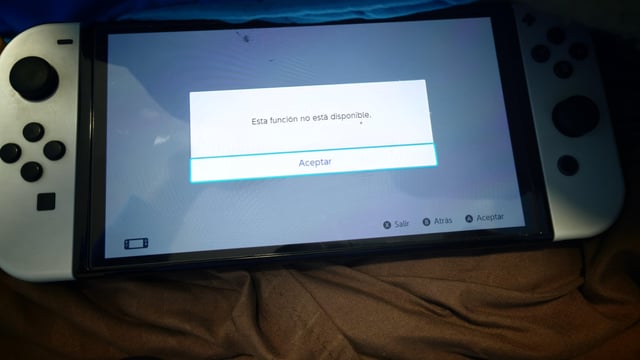
Hi everyone! I need some help figuring out an issue with a custom server setup. I’m trying to connect my Switch to the Nextendo network.
CFW: Latest Atmosphere version.
DNS: 90DNS is active to block official Nintendo servers.
Serial Number: Blanked/spoofed via Exosphere/Incognito (as instructed by the tutorial for online safety).
The steps I followed:
Installed the Pretendo/Nextendo files on my SD card and updated everything to the latest version.
Opened the overlay menu (Tesla/Inkay), selected the Nextendo network, and rebooted the Switch.
Created a brand new local user profile on the console.
Went to the new profile's settings and clicked "Link a Nintendo Account".
The Issue:
According to the tutorial I followed step-by-step, clicking that button should allow the plugin to intercept the connection and redirect me to the internal browser (Web Applet) so I can log in with my Nextendo credentials.
However, the console doesn't even attempt to load the page. Instead, it instantly throws a white prompt with the message: "This feature is not available." ("Esta función no está disponible" in Spanish).
I understand this error normally pops up when the Switch OS detects a blanked serial number and completely disables the account linking feature at the system level. However, the tutorial supposedly accounts for this so we can play online safely with DNS blocks.
Does anyone know the exact workaround or configuration I'm missing to bypass this OS block and force the Nextendo web login to appear?
https://i.redd.it/z935b17sv6lh1.jpeg
Source: r/NintendoIndia · by /u/Potex12