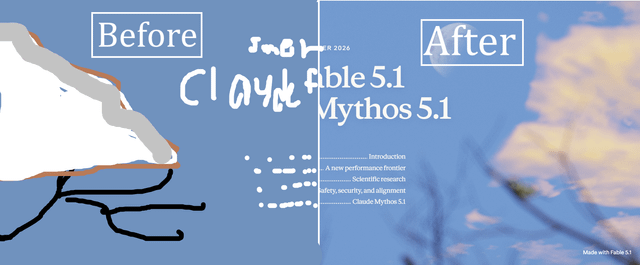
WHAT DID I MAKE?: I made a Plugin that contains plugins, tools, skills, tests, and things as a good startup for helping you build for claude (mainly websites) basically I learned and did everything so you dont have to look for plugins and stuff yourself, basically for the average vibe coder.
NOTE: This is still in the making, it probably does work but some things might not have been tested and I used claude to run tests so some things might be buggy or not work at all or as intended.
HOW TO DOWNLOAD: Just go to the github website and view the necessary instuctions: https://github.com/ridelink0/ultimate-frontend-skills
BACKSTORY: While looking at the new showcase for fable 5.1, the showcase it made (which you can view here and I went ahead and tried to make it myself, when it looked absolutely horrible, and claude just kept using svg's or photography which was very annoying. I decided to look into how they actually did it, I only knew javascript and html for websites and didnt know stuff like using blender, three.js, and other things to help claude/codex make actual good websites and while there are many plugins out there that do/help with this exact sort of problem, I still wanted to figure it out myself and actually try to learn something and make a grand plugin for people that don't like researching and can make good websites. I also built some things with the plugin itself, not just using reference from other plugins or just implementing stuff.
What I added:
DEBUGGING (My favorite):
I asked claude to make tests for this plugin so whenever your making (for example) a website it can see the website itself instead of looking at code and can run on its details, shading, graphics, animations, bugs, ai slop, anything that might even make the website LOOK bad itll just fix, tested this many times and im at a point (NOT IT BEING PERFECT) that it can genually be a good tool to use.
Mini Java Scripts + Blender and for it to be easy for Claude/Codex to use (three.js, etc)
Also made so itll automatically download three.js and other 2d/3d javascripts to make sure the whole toolkit is in place, if the tool kit is already there, itll be disabled/deleted. Some include but probably not all:
assets/motion.js – dependency-free, one rAF loop for every scroll effect, degrades to a fully visible page. .r reveals, data-px parallax, data-tilt pointer parallax, data-count counters, data-magnetic buttons, data-split per-word headline reveal, nav shrink, scroll progress.
assets/gradient.js – an animated WebGL mesh gradient. Layered simplex noise with domain warping, mixed in linear space, dithered against banding, paused off-screen, one static frame under reduced motion, CSS mesh fallback.
assets/depth.js – real three-plane parallax. A signed data-depth sets each plane's rate against scroll AND pointer, and drives blur and haze from the same number. Also single-photo 3D from a depth map.
assets/exploded.js – any made thing taken apart in three.js, reading its layers from an <ol> so the semantic list is the no-JS fallback.
AI SLOPNESS:
Asked Codex and Claude for the top indicators for AI Slop by /deep-researching and they pointed and implimented so claude/codex will automatically follow them, many including (But not all) such as: The default font stack. Inter, Geist, Space Grotesk, DM Sans, Poppins, Roboto, Playfair Display, Montserrat – and now Instrument Serif, Fraunces, Syne and Cal Sans, which were the 2025 escape route and have become the new default. One family doing display, body and UI is the underlying tell.
Indigo/violet CTAs. #6366f1, #4f46e5, #8b5cf6, #7c3aed, #a855f7, and the Tailwind blues #2563eb, #3b82f6. Traceable to a single Tailwind UI decision in 2020 that its author has publicly apologized for.
A reflexive cream ground. This one matters here, because it is what this skill uses. Warm off-white plus a serif is now itself a recognized look – the "tasteful AI startup" wash. See the section below.
Washed-out grey body text. #888, #9ca3af, #a0aec0 – under 4.5:1 and usually not checked.
Gradient text via background-clip: text on the H1 or a big number.
A coloured accent stripe on cards, top or left, applied to features, alerts, pricing and testimonials all at once.
The eyebrow pill above the headline – "Now in beta", "AI-powered", "New" – especially above every section heading.
Then: gradient-letter avatars on testimonials, aurora/mesh blob backdrops, crushed display tracking, the icon tile above every feature card.
And many more!
IMAGE DEEP RESEARCHING:
If you have a website that you really like and want to look at, claude is no longer gonna just look at the text or "read it" itll now look at it, you can use these websites that have websites to give claude reference (If that makes any sense) if you want to use this such as:
Awwwards, Godly, Land-book, SiteInspire, Minimal Gallery, Curated.design, One Page Love. Fetch the gallery page, extract the outbound site URLs, then study them. The gallery's own thumbnails are small and colour-shifted – render the real thing instead.
/btw: there is already many refrences built in the claude plugin for claude to use, over hundereds of websites just to help claude make good websites for you.
WORKFLOWS TO HELP CLAUDE/CODEX:
self explanatory, helps Claude/codex make a good workflow so it can make the website as good as it can be.
0 BRIEF subject, register, hero one paragraph, in your head
1 BENCH what is installed tools
2 REFERENCES three sites that disagree awards –pick / study –awards
3 ROUTE how the object gets made the table below
4 ASSETS geometry, textures, lighting blender / assets / cut
5 CHASSIS the page exists and is readable new / add
6 COPY every word is the real word you, not a generator
7 CHOREOGRAPH motion is authored, not applied motion.js / exploded.js / GSAP
8 VERIFY it renders, it holds 60fps verify, then your own eyes
9 SHIP it is safe to be public security, deploy, curl
UI + UX SKILLS:
Obviously just simple UI skills to help Claude, nothing much, here is everything that claude/codex added to help with UI/UX:
regions, loading buttons, target sizes) references/craft.md. This file says which states a component has; craft.md says how to build one
Grid, section air, glass, dot leaders, the house form treatment references/sections.md
Any chart, stat tile, KPI row or dashboard block Hand to the dataviz skill – references/plugins.md
Durations and easing for any transition named here references/motion.md. There is one motion scale; do not invent a second
What the finished page must not look like references/tells.md
core.css is never edited inside a project. Every snippet here belongs in site.css, which loads after it.
What the chassis already ships
Build against these before writing anything. The right-hand column is the only place a component is described that does not exist yet.
Need Already in core.css If it is not there
Primary button .btn (rest, :hover, :active) no :disabled, no pending – site.css
Secondary button .btn–ghost (rest, :hover)
Tertiary / inline action .link – background-size underline sweep on :hover and :focus-visible
Body link .prose a has a considered default underline
Focus indicator the global :focus-visible ring with a ground-coloured halo, plus a forced-colors: active branch see the .field note in Forms
Form field .field – boxless, one bottom hairline, 11px uppercase UI label no error, help, required or disabled treatment
Accordion / FAQ .faq on native <details name="faq">
Two-column specification list .spec (<th scope="row">, tabular figures) a real data table is new CSS
Numbered process .steps
Contents list with dot leaders .index inside <nav aria-label="Contents">
Figures .stats / .stat
Card, card grid, card rail .card, .cards, .cards–rail (native scroll-snap), .card–glass
Image with caption .frame + figcaption, .callout
Header .nav, .nav__brand, .nav__links, .nav.is-stuck no mobile navigation at all – see below
Skip link .sr-skip, targeting #main no block in sections.html emits <main>; add it
Screen-reader-only text .visually-hidden
Anchor offset under the sticky header :where([id]) { scroll-margin-top: calc(var(–nav-h, 4.5rem) + 1rem) } (core.css:168) nothing assigns –nav-h; set it in site.css to the real header height or the offset is keyed to a guess.
AND MANY MORE!
GO TRY IT!!: Go use the plugin, and finally if you would like to change/fix anything, that would be great and you dont even need to ask, just make your own branch! And it would be amazing if you want me to add more skills/plugins to the plugin, this is still in the making and i plan to make this free for everyone. Its still in the making so any ideas right now would be greatly appreciated.
https://i.redd.it/8zs959txkjqh1.png
Source: r/ClaudeCode · by /u/Ridelink