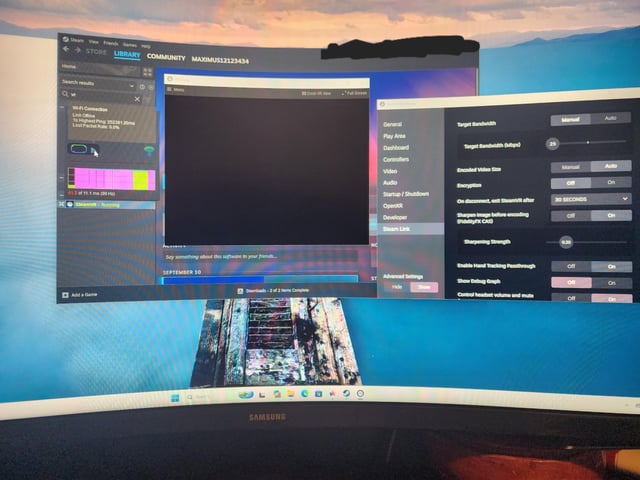
System: Windows 11 25H2, build 26200.9545. ASUS TUF Gaming B650 Plus WiFi, Ryzen 7 7800X3D, RTX 4070 Ti Super. PC connected via Ethernet; headset is wireless Wi-Fi only, no cables. Using SteamVR on PC and Steam Link on Meta Quest 3, connecting to PC via WiFi.
What happened: I've had this Windows install for about a week and it's worked fine with VR. It worked about a week earlier on my other Windows install when I tried it. Today it stopped working. I even reinstalled Windows and it hasn't fixed it — it failed on the previous install, I reinstalled, and it still doesn't work.
Symptoms: On PC it says "searching for the headset." After a second of black screen on the headset, the PC makes the VR icon hollow as if it's offline, and the headset goes to a screen saying "Host stopped responding," Error 450. The PC also made a Wi-Fi icon appear with a red dot. Hovering over it says: link offline, highest ping 252391.20ms (probably a timeout I'm guessing), lost packet rate 0.0. Air Link doesn't work either.
What I've tried (before and after reinstalling): – Reset DNS – Disabled firewall and Defender – Lowered bandwidth – Verified integrity of tool files in SteamVR Properties → Installed Files – Switched between Beta and Release SteamVR on both PC and Quest 3
Nothing changed a thing. A full Windows reinstall didn't change a thing.
Additional: Attached image shows additional debug info.
https://i.redd.it/dj0vt5rwf6ph1.jpeg
Source: r/SteamVR · by /u/Gloomy_Chemist_5892