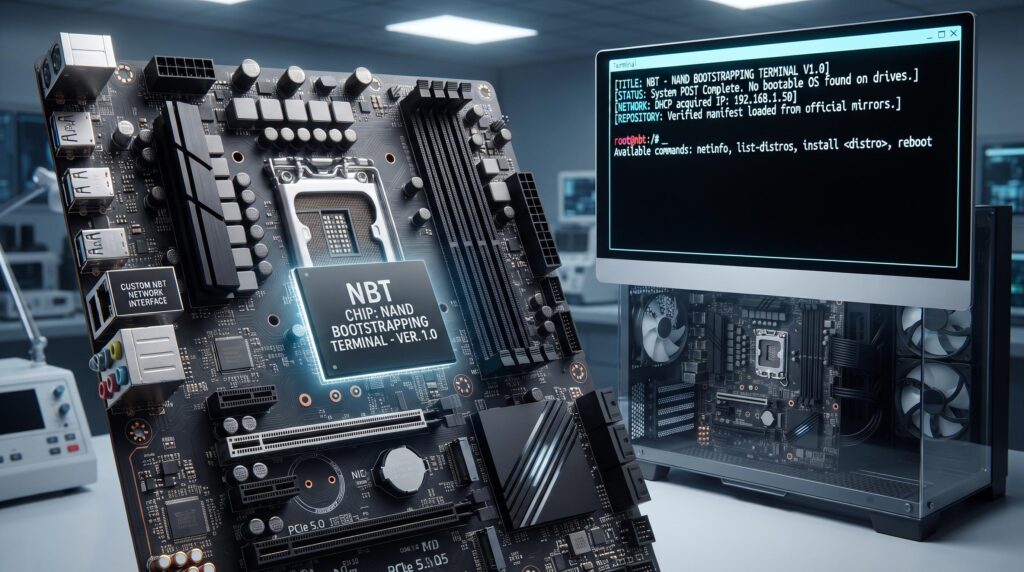
This concept replaces the traditional BIOS ROM with a larger, high-reliability NAND flash chip. This chip contains two distinct, protected partitions:
- The Firmware Core (Secure BIOS/UEFI): Responsible for hardware initialization (POST), secure boot verification, and hardware abstraction.
- The NBT Environment (Recovery Linux): A highly stripped-down, read-only Linux micro-kernel and initramfs image. Its only function is to provide a command-line interface (CLI) and network stack.
Operational Logic: Upon power-on, the Firmware Core initializes the hardware (CPU, RAM, NVMe drives, Network Interface Card). It then checks the boot drive (e.g., SSD) for a valid OS bootloader.
- If a valid OS is found: The NBT partition is ignored, and control passes to the main OS bootloader.
- If NO valid OS is found (Blank PC): The Firmware Core automatically boots the NBT Environment from the NAND.
The NBT User Experience: The user is presented with a clean, minimalist, black terminal screen (tty1). The system automatically acquires an IP address via DHCP and attempts to connect to a pre-configured, secure manifest server.
The Command Set (Examples): The NBT terminal provides a restricted, domain-specific language (DSL) shell.
netinfo: Displays the current network configuration (IP, Gateway, DNS).list-distros: Queries the manifest server and displays a secure, verified list of available OS images (e.g., Ubuntu Server, Fedora, Debian, and even a pre-authorized Windows installer stub).install [distro-name] [target-drive](e.g.,install ubuntu-server /dev/nvme0n1): This command is the core of the concept. It triggers a secure process:- Downloads the installer ISO/image directly from the official, verified repository (not a third-party mirror).
- Validates the image using GPG signatures (or similar cryptographic verification).
- Partitions the target drive.
- Streams the installation to the drive.
- Installs the bootloader (GRUB).
- Reboots the machine into the newly installed OS.
Key Advantages of This Concept:
- Zero-Day OS Installation: A new PC is functional for OS installation immediately, requiring no other hardware (no USB drive, no other PC to create the USB).
- Security & Verification: The system only allows installation from a cryptographically signed "white-list" of official OS repositories, preventing malware injection.
- Simplified Hardware: This design unifies the BIOS and the boot-recovery environment onto one chip, reducing complexity compared to separating them onto different physical chips.
https://i.redd.it/pc357e2imwnh1.jpeg
Source: r/coreboot · by /u/wanderlycan