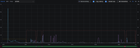
TL;DR: Two UCG-Fiber deployments, ~30 km apart, different subscriptions, no shared config. Both started dropping WAN download throughput to ~1 Mbps on Windows clients only at 18:14 (6:14 PM) on 05/09/2026 (2026/09/05). Since then, I have 33.3% packets loss for them. Upload stays at multi-gig. macOS, iOS, Linux and Synology clients are unaffected on the same gateway at the same moment. Even Ubiquiti Gateway can Speedtest normally. LAN throughput is perfect. Plugging a Windows PC directly into the ISP box makes the problem disappear. Nothing was changed on either network for months.
33.3% packet loss – only Windows PC are affected

This is a summary of my discussion with Claude, there could be some "—" in the description, sorry about that. ^^'
Setup
- Gateway: UCG-Fiber, firmware 5.1.31, UniFi Network 10.6.101 (updated since issue, but no luck)
- ISP: Free (France), 8 Gbps symmetric fiber, ISP box in bridge/passthrough
- LAN: 10 Gbps backbone, UniFi switches and APs (APs uplinked at 2.5 Gbps)
- Zone-based firewall, default rule set plus a few manual rules
- Second site: friend, ~30 km away, separate Free subscription (8 Gbps down / 700 Mbps up), also UCG-Fiber and UniFi ecosystem. Independent install, no shared controller, no shared config.
Symptom
On every Windows machine, WAN download collapses to roughly 1 Mbps while upload stays at multi-gig (4 Gbps measured). Every non-Windows device on the same VLAN, same switch, same gateway, tests normally at the same instant.
My friend independently confirmed the same failure at 18:14 (6:14 PM), within a couple of minutes of mine.
What I've tested and ruled out
Hardware — ruled out. Five different NICs across two Windows PCs all fail identically:
- PC 1: 10 Gbps, 5 Gbps and 1 Gbps NICs — all affected
- PC 2: two 1 Gbps NICs — both affected
LAN path — ruled out. iperf3 between the Windows PC and a Linux box, reverse mode (Windows receiving):
- TCP, 8 streams: 949 Mbps sustained, flat for 20 seconds, no dips
- UDP: 956 Mbps, 0.034% loss, jitter 0.027 ms
So the NIC, the cable, the switch port and Windows' receive path are all clean at line rate.
WAN path, same moment, same gateway:
iperf3 -R -P 8to a public server from Windows: 0- Same command, same server, from Linux: 949 Mbps
This is raw TCP on port 5201, so it isn't Ookla, the browser, TLS inspection or DNS.
Gateway bypass : Windows PC plugged directly into the ISP box, bypassing the UCG entirely: full speed, no problem. Same PC, same OS, same NIC, same cable.
Windows TCP stack — clean. netsh int tcp show global shows autotuning normal, RSS enabled, ECN disabled, RSC enabled (default). Nothing exotic.
MTU — clean. ping -f -l 1472 succeeds. 1500 end to end, no PMTUD blackhole. Configured automatic on Gateway.
IPv6 — not involved. Some Windows machines are IPv4-only by deliberate configuration, and have been for a long time.
Windows updates / Defender definitions — ruled out. A Windows 11 machine that has not been updated in over six months, booted specifically for this test, reproduces the problem identically. Same for my friend's machines. Whatever changed, it wasn't pushed to the clients.
Config changes — none. Both networks have been stable for months. Nobody touched anything, let alone at the same minute on two sites.
Gateway-side diagnostics (Claude suggestions, don't know if it's relevant)
conntrack is healthy — nowhere near saturation:
conntrack -C → 1487 nf_conntrack_max → 131072 /proc/net/stat/nf_conntrack → 0 drop, 0 early_drop, 0 insert_failed ~4300 invalid (cumulative across 4 CPUs) ECM (hardware offload) connection count: 992.
Behaviour during a failing test: the ECM connection count spikes hard at the very start of the transfer, then decays steadily as if nothing is transiting anymore. Same pattern with a browser speedtest. Connections establish fine, the transfer starts, then the flows die off and expire one by one without being replaced. It reads like a collapse after establishment rather than a block at connection setup.
dmesg only goes back to boot, so it doesn't cover 18:14 (6:14 PM). The gateway uses the Qualcomm qca_hppe / nss-dp datapath with ECM acceleration.
Note: the default Block Invalid Traffic rule cannot be disabled in the zone-based firewall UI — the toggle is greyed out, unlike manually created rules. Given the invalid counter is non-zero and Windows generates different TCP retransmission and reordering patterns than Linux, I'd like to test with it off, but the UI won't let me.
Is anyone else seeing this?
Two independent sites failing at the same minute, affecting one OS family and one direction only, with the problem vanishing the moment the gateway is removed from the path, is not a coincidence I can explain locally. Happy to run any diagnostic and report back.
Source: r/Ubiquiti · by /u/No-Tax3251