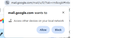
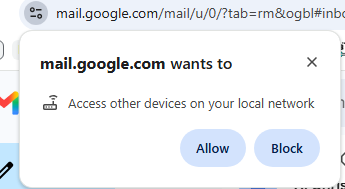
Yesterday, while reading a perfectly normal mail in gmail, via the web page, using Chrome, on Windows, I got an unexpected pop-up permission request:
mail.google.com wants to
Access other devices on your local network
[Allow] [Block]
Screenshot:
https://sealevel.info/mail.google.com\wants_to_Access_other_devices_on_your_local_network_popup.png)

Apparently the culprit is "Google Meet."
I opened Chrome Developer Tools [F12] and there was just one red line on the Network tab, for this URL:
https://meet.google.com/_/frame?authuser=0&frameType=1&origin=https%3A%2F%2Fmail.google.com&dip=0
I clicked the AI Assistance button and asked:
What caused this? I'm just looking at an email (a substack notification) in my inbox, and Chrome popped up a permission request: mail.google.com wants to Access other devices on your local network
It answered:
Root Cause: This request is a cross-origin frame initialization for Google Meet integration within Gmail. … The local network permission prompt is triggered by Google Meet's discovery protocol (likely WebRTC or mDNS), which scans for local hardware like Chromecast or Google Meet hardware to facilitate screen sharing or device switching.
Suggestions:
Block the permission: If you do not intend to cast your screen or use local meeting hardware from within Gmail, click Block. It will not break your ability to read emails. …
Disable Meet in Gmail: If you do not use Google Meet, go to Gmail Settings > Chat and Meet > Meet > Hide the Meet section in the main menu to prevent this frame from loading.
⠀
So I chose "Block"
Source: r/GMail · by /u/chestertonfan