Setting up inboxes is the part of cold email most people hate. Buy domains, set up Workspace, add DNS records, create users, connect everything, wait for warmup. It's easy to lose a full day and still get a record wrong.
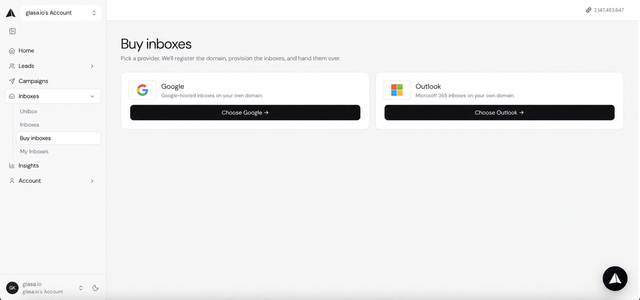
We built an inbox marketplace into our platform to cut that down. Here's how it works:
- Go to the inbox marketplace in our platform.
- Pick your provider. Google, Outlook or SMTP, or a mix.
- Choose standard or warmed inboxes. Standard is cheaper but needs warmup time. Warmed inboxes are ready to send much sooner.
- Buy and they show up in your account already connected.
- Turn on warmup for any new inboxes and leave it running even after you start sending.
That's it. No jumping between five tools.
A few tips that apply no matter where you get your inboxes:
- Never send cold email from your main domain.
- Stick to .com or close variations of your brand. Avoid cheap TLDs like .xyz or .info.
- Keep around 3 inboxes per domain.
- Mix Google and Outlook. If one has a bad week, the other keeps your campaigns running.
- Give new inboxes about 14 days of warmup before sending cold.
- Add more inboxes for more volume instead of pushing the ones you have.
Happy to answer any questions about setup.
https://i.redd.it/xkzpzzsbumvh1.png
Source: r/GlasaIo · by /u/TeamGlasaio