Greetings all! We just published a step-by-step guide for setting up AutoDiscover in MDaemon, with a video walkthrough. Here is the short version, plus a few details you can use today.
**What it does**
Users enter an email address and password, and MDaemon returns the host names, ports, and encryption settings for each protocol your server offers (ActiveSync, IMAP, POP, SMTP, CalDAV/CardDAV, and XMPP). Starting with v26, it can also return the XML API URL to clients that are allowed to use it.
**Prerequisites**
– AutoDiscover is enabled by default. It is not exposed in MDaemon Remote Administration, so to enable or disable it, open the desktop configuration session and right-click AutoDiscover Service under the Servers panel.
– It runs on Webmail's built-in web server, so Webmail needs HTTPS. These options can be found in Remote Administration under Main » Webmail Settings » SSL & HTTPS, and are mirrored under Security » SSL & TLS » Webmail.
– The certificate must be trusted and list autodiscover.yourdomain.com as a SAN. Let's Encrypt can be found under Security » SSL & TLS » Let's Encrypt; add the host name in the Alternate host names field, and make sure Webmail is reachable on port 80 for the HTTP challenge.
**DNS**
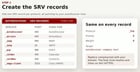
You need SRV records for each protocol you use, plus an A or CNAME record for autodiscover.yourdomain.com. Two details:
– For the _smtp record, publish 465 or 587 rather than 25. Port 25 is for server-to-server delivery and is often blocked on residential and mobile networks.
– RFC 2782 says an SRV target must not be an alias, so if you use a CNAME for autodiscover, point the SRV targets at a host with its own A record.

**Troubleshooting**
Requests are logged to \MDaemon\Logs\AutoDiscover-YYYY-MM-DD.log. For the full XML exchange, add LogXML=Yes under [System] in \MDaemon\Data\AutoDiscover.ini, and turn it back off when you are done. Requests to the /mddp endpoint are logged separately in MDDP-YYYY-MM-DD.log. If Webmail runs under IIS, you also need URL Rewrite rules for MDAutoDiscover.dll and MDDP.dll.
Full guide with screenshots and the video: https://blog.mdaemon.com/how-to-set-up-autodiscover-in-mdaemon-email-server
Source: r/MDaemonTechnologies · by /u/MDaemon_Email