🛠️ How to Set It Up (PlayStation 4 / PlayStation 5)
Go to your console Settings -> Network -> Settings -> Set Up Internet Connection.
Hover over your active network connection, press the Options/Menu button, and select Advanced Settings.
Change DNS Settings from Automatic to Manual.
Input the following exact addresses:
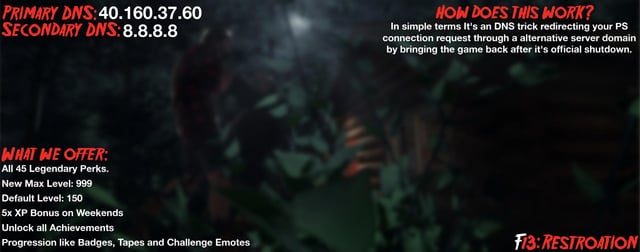
Primary DNS: 40.160.37.60
Secondary DNS: 8.8.8.8
Save your settings, run a quick connection test, and launch Friday the 13th: The Game.
https://i.redd.it/llhv5b8esrth1.jpeg
Source: r/FridayThe13thGame · by /u/hauntsxz