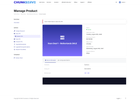
I want to share my experience with Chunkserve. Over the course of two weeks, I had two serious problems. Both were related to accessing the same VPS.
The first incident happened on September 5.
At 16:44, I opened a ticket (VPL-813609) because I could not connect to the VPS via SSH. noVNC was also unavailable.
I checked the connection using:
ssh -vvv root@78.31.250.115 The SSH session failed before normal authentication could even begin.
Two hours later, I still had not received a response from them, and at 18:29 I told them that there was no important data on the VPS and that they could completely reinstall the server if necessary.
At 18:54, I sent them additional SSH diagnostics. The verbose SSH log showed that the connection to port 22 was established successfully:
debug1: Connecting to 78.31.250.115 [78.31.250.115] port 22. debug1: Connection established. debug1: Local version string SSH-2.0-OpenSSH_for_Windows_9.5 but the connection was then closed by the server:
Connection closed by 78.31.250.115 port 22 So the TCP connection itself was being established, and my SSH client was sending its version string, but the session was being terminated before normal SSH authentication.
Then, at 20:19, they replied that everything should be fixed within 5 minutes.
At 20:32, I told them that the problem was still there and sent another SSH log.
At 21:24, I wrote again because about an hour had already passed and I still had no access.
At 21:29, I also confirmed that noVNC was still unavailable.
The next day, September 6 at 12:35, I contacted them again. The server was still unavailable. I asked about compensation or a refund for the period when the VPS was inaccessible. I also wrote that I was willing to consider another solution as long as I would not have to pay anything extra.
That message was left unanswered.
On September 7, I was finally able to connect to the VPS. It took me two days.
Support did not even tell me that the problem had already been fixed. The “5 minutes” they had mentioned were already a day ago, and I had already added more messages to the ticket after that.
By the way, there is still no reply to that ticket. In their system, it is still displayed with the status Customer-Reply.
I prefer tickets to actually receive a response, so that I can either close them or reply. If a ticket is still marked as Customer-Reply, then even if everything is working for me, I am not going to close it or do anything else with it. That is simply my rule, and I have no idea how people view this in different countries.
I continued using the service, treating it as a one-time problem. Overall, everything was working, and I managed to install my Python scripts and applications for synchronizing Obsidian between my devices.
But things were not that simple.
On September 19, I had another very similar access problem.
At 12:55, I opened a new ticket (PMN-137820). The details are in the screenshot. I do not want to describe this one in as much detail as the first one. I do not even know why I described the first one in so much detail.
I will only describe the most important parts.
This time, SSH was failing with:
kex_exchange_identification: read: Connection reset Connection reset by 78.31.250.115 port 22 I ran several checks on the VPS and on their Virtualizor management server:
ping 78.31.250.115 tracert 78.31.250.115 Test-NetConnection 78.31.250.115 -Port 22 -InformationLevel Detailed ssh -vvv czarnylis ssh-keyscan -T 10 78.31.250.115 Resolve-DnsName virt1-ams.chunkserve.com Test-NetConnection virt1-ams.chunkserve.com -Port 4083 curl.exe -vk --connect-timeout 10 --max-time 20 https://virt1-ams.chunkserve.com:4083/ Previously, I at least had the VNC console. This time I cannot even get to it, because on the product page on their website it is displayed as a gray rectangle.
I also tried rebooting the VPS through the Chunkserve panel. The panel returned a 502 Bad Gateway / Host Error. There is a screenshot of that as well.
Today, right now, while I am writing this, when I try to reboot the VPS I get the following message:
Action Failed The csrf tokens do not match!! And sometimes I get:
Action Failed Failed to reboot the VPS I had a Python script running on this VPS that sent me a server status report every night at 00:01. Among other things, it checked available Ubuntu updates and free disk space.
The reports arrived normally on September 16, 17, 18, and 19.
The last report arrived on September 19 at 00:01. It showed 3.47 GiB of free space out of 9.76 GiB, and the script completed normally.
No more reports arrived after that.
I also had, as I mentioned above, an application installed on the server for synchronizing Obsidian: Nextcloud. It had been working well, but on September 19 it started showing the following error:
Error. Configuration was not read or initialized correctly, not overwriting. /var/snap/nextcloud/54176/nextcloud/config/config.php So basically, I cannot access the VPS or noVNC. The reboot function returns errors, and my script has stopped sending its reports.
Nobody is answering me, and at this point I honestly have no idea what I am supposed to do.
Sometimes I just want to sit there, wrap my arms around my legs, and cry a little, because, well, it is frustrating.
Why did I pay for a service when the service does not work?
Nobody answers me, nobody solves my problem, and I have no idea what I am supposed to do.
All that is left is to write about it on Reddit, while understanding that nobody is going to answer me there either and that the company still will not fix its own problem, which has now become my problem too.
If the company is having some kind of problem with its servers, they could at least tell me, so that I am not left completely in the dark.
My English is not very good, so I translated this using DeepL. I hope it translated everything well.
https://www.reddit.com/gallery/1wm9h07
Source: r/VPS · by /u/CzarnyLisArtist